

Project management has evolved significantly in recent years. PMOs (Project Management Offices) no longer just need to control tasks — they need to manage complete portfolios, coordinate teams and make strategic decisions in real time.
In this context, tools like monday Work Management have changed the traditional approach. It is no longer simply about organising projects, but about creating a work operating system that connects the entire organisation.
This guide analyses how to use monday Work Management in PMOs, its advantages, recommended structure and real use cases in businesses across Spain.
monday Work Management is a platform designed to centralise work management in a single collaborative environment.
Unlike traditional tools, it allows you to manage projects and portfolios from the same system, centralise agile, waterfall or hybrid methodologies, and connect teams from different areas.
This makes monday a project management tool for teams that goes well beyond planning. To see how we structure this for teams in Spain, visit our monday project management landing page.
Key insight: PMOs move from managing isolated projects to managing the entire business operation.
An efficient implementation requires correctly structuring the platform. At redk, we work with three interconnected levels that you can see in detail in our monday Work Management solution.
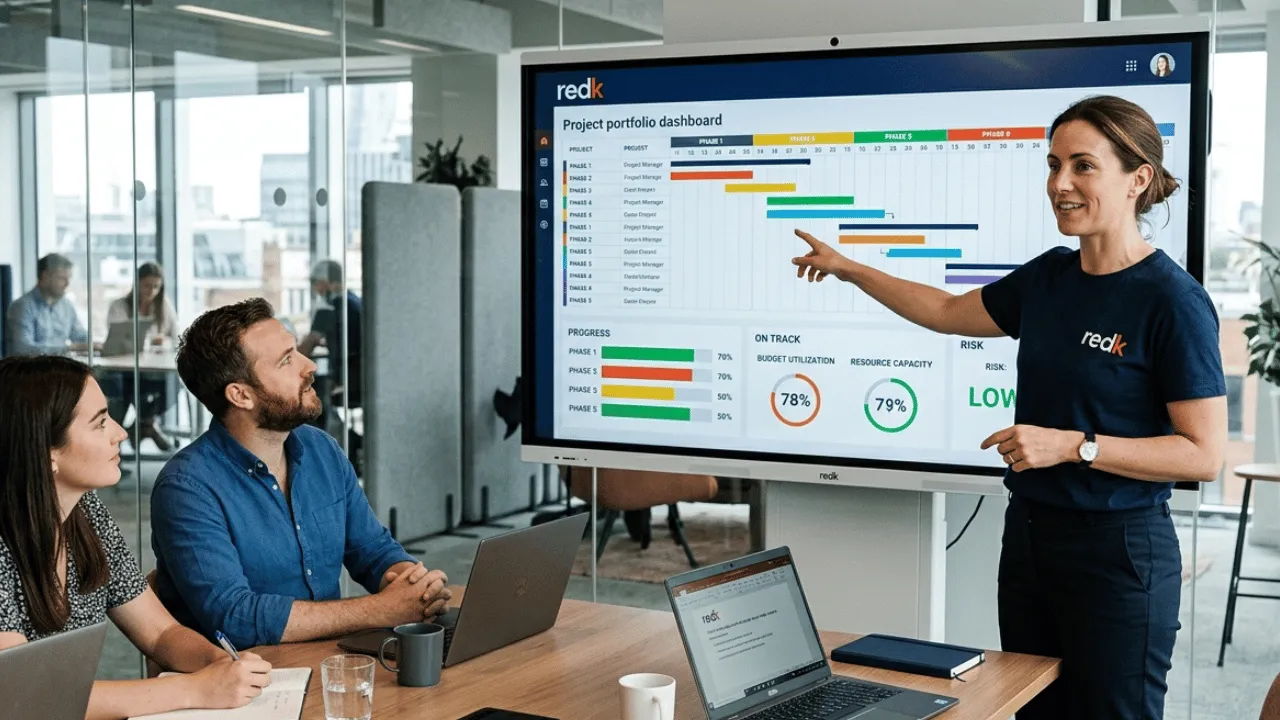
This level covers portfolio management. It includes all active projects, strategic prioritisation and global status (risks, progress, budget).
Key tools:
This enables real-time project visibility in monday, which is fundamental for decision-making.
Each project is organised into phases — initiation, planning, execution and closure — with tasks and subtasks, dependencies and assigned resources.
Main views:
This level allows teams to be coordinated and objectives to be met. For production teams that also manage projects, this structure connects directly with the monday production department landing page.
This is where the greatest productivity impact is found. It includes automations, approval workflows, task tracking and internal communication.
Practical example:
For a broader view of how automations work across other departments, see our guide on workflow automation with monday.
These allow you to visualise the real-time status of projects with KPIs such as progress, costs and risks. They are essential for management reporting. You can see how these dashboards are structured on our project management landing page.
One of the great differentiators of monday Work Management. It allows manual tasks to be eliminated and automatic flows to be created without any programming:
This facilitates monday Work Management implementation in businesses without depending on IT. To go deeper into automation capabilities, see our complete guide on process automation with monday.
Allows you to visualise workload by team, detect overloads and balance tasks. This prevents bottlenecks and improves operational efficiency. This feature is particularly relevant for marketing teams — you can see how we apply it on our monday marketing department landing page.
monday Work Management adapts to any methodology through table, Kanban, Gantt and calendar views. This is key for hybrid PMOs.
Connects with communication tools, storage systems and management platforms. If your company also uses monday CRM, the integration between the commercial pipeline and operational projects is native — when a deal is closed, a project can be automatically launched in monday Work Management.
monday Work Management is used in PMOs for:
Project managementMilestone tracking and time and cost control.
Risk managementAutomatic alerts and blocker identification.
Process standardisationReusable templates and replicable workflows. This approach is the same one we apply in process management with monday.
Management reportingExecutive dashboards and automatic reports.
This allows traditional tools to be replaced and Excel to be eliminated from project management. For HR teams that also want to connect people management with projects, see how we do it on our monday HR landing page.
Total visibilityCentralised information and real-time data thanks to monday Work Management.
Extreme flexibilityAdaptation to any process without the need for development.
Improved collaborationConnected teams with fewer emails and meetings. If you also connect the PMO with the commercial team through monday CRM, visibility extends from the opportunity all the way through to project delivery.
Fast implementationOnboarding in weeks with visible results in the short term. At redk, we structure this in 3–4 weeks — you can see the process on our project management landing page.
This positions monday Work Management as a highly competitive project management software for businesses.
Limited advanced planningLess capable than specialised solutions for complex planning scenarios.
Advanced features in higher plansComplex automations and advanced reporting may require Enterprise plans.
Scalability in very complex environmentsMay fall short in large corporations with highly technical projects. In these cases, at redk we assess whether monday Work Management should be complemented with other solutions from the ecosystem.
Ideal for:
Not ideal for:
To manage multiple projects efficiently with monday Work Management:
This allows management to scale without increasing complexity.
Project management has moved from being an isolated task to becoming a strategic process within organisations. monday Work Management allows PMOs to make that leap — moving from dispersed tools to a centralised system that connects people, processes and data.
The key is not to manage more projects, but to manage them better — with visibility, control and agility. And if you also connect project management with sales through monday CRM or with commercial teams through the monday sales team landing page, the impact multiplies across the entire organisation.
Discover how we implement monday Work Management for PMOs and take the next step towards more organised, connected and results-oriented project management.